
Decide which parts belong in playback
List the musical parts your band will play live and the parts you intend to supply from a recording. A keyboard texture may belong in playback while drums, bass and lead vocal remain live. Make that arrangement decision before exporting anything.
A full studio recording usually contains parts the band is already performing. It can serve as a rehearsal reference, but using it on stage can double instruments or vocals. Cuebie does not separate a finished recording into stems; prepare suitable musical backing audio separately.
Keep musical audio and instructions distinct
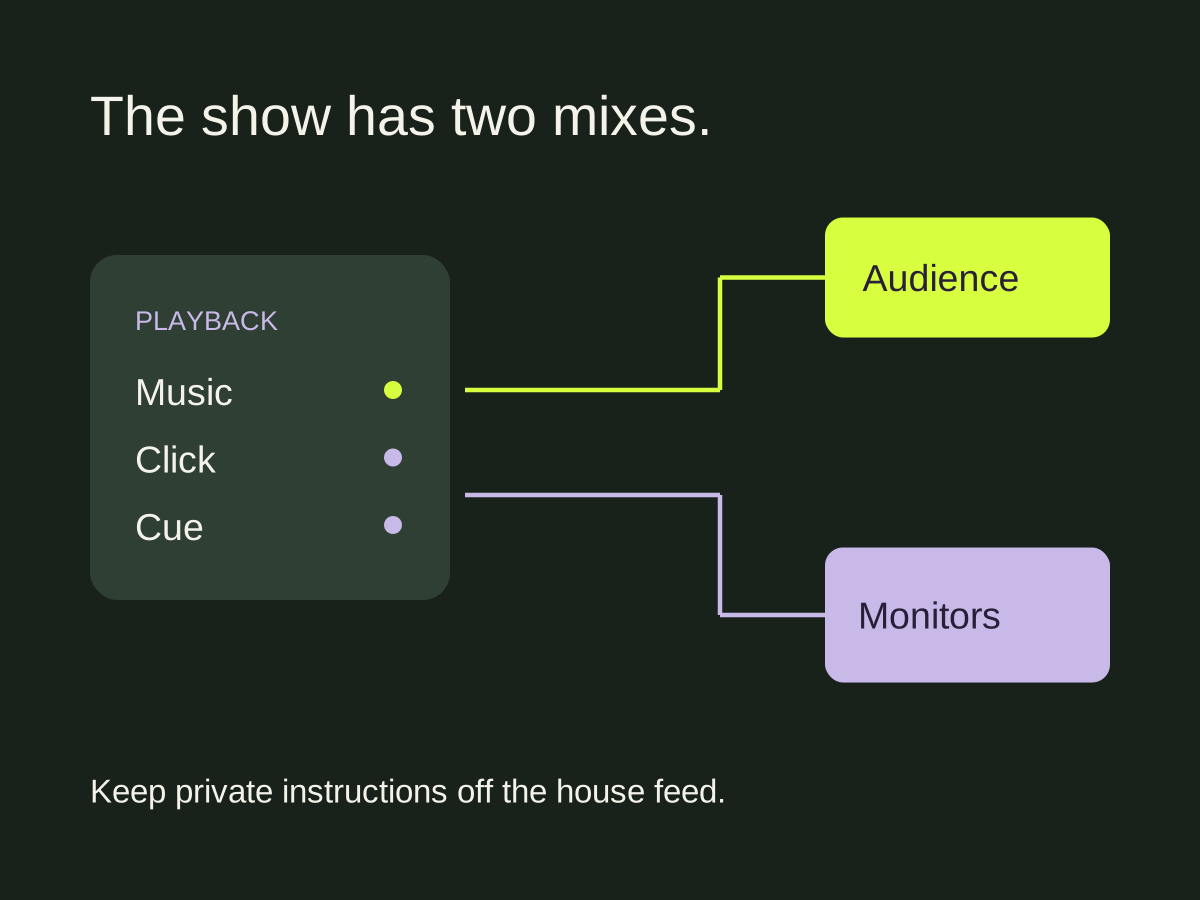
The audience feed carries the musical backing. The click keeps the musicians oriented in time, and spoken cues announce upcoming sections. The latter two signals usually stay in the monitor mix.
Write those destinations down for the person running sound. File separation alone does not route them. The playback application, interface and output configuration must support the destinations you intend to use.
For example, Ableton explains assigning its metronome to a separate Cue Out when suitable outputs are available. Set up those outputs in Ableton; Cuebie supplies the exported guide files.
Agree on a common start
Choose where playback begins, including any silence and count-in before the music. Every file used together must keep the same timing reference. If the click file starts with a lead-in but the backing file has had that silence trimmed away, launching them together may no longer align the music.
Check the resulting files in the actual playback project. Listen at the start, at a later section change and near the ending. Check timing again after any export or edit that changes the beginning of a file.
The export and handoff checklist includes a downloadable manifest for recording those decisions.
Rehearse the start and the stop
Name one person to start playback. Agree how they know the band is ready, what the count-in means and how the song ends. Test a false start during rehearsal so the band knows when to stop and who restarts it.
Also rehearse what happens if playback stops unexpectedly. A sensible response depends on whether the band can complete the arrangement without the recorded parts. Agree on the response during rehearsal so everyone follows the same plan at the show.
Run the ending long enough to hear recorded tails and any remaining click. Check the gap before the next song and confirm that the next file will not start before the band is ready.
Check both feeds at soundcheck
Ask someone to listen to the audience feed while another checks the musicians’ monitoring. Confirm that the music is present where intended and that private count-ins and cue words are absent from the audience feed. Test the actual files, player and outputs you will use.
Prepare a backup copy of the agreed files and label the revision clearly. A folder named “final” is insufficient if two different exports share that name. Our setlist guide shows how to record tempo and starting responsibility alongside song order.
Cuebie can prepare fixed click and spoken cue WAV tracks for your recording. Follow the app guide for export options, then verify the files in your live playback setup.