
Listen for the kind of mismatch
A click that is late by the same amount throughout a song has a different problem from a click that starts correctly and slowly moves away. Listen near the beginning, halfway through and near the end before changing settings.
This guide is for aligning a steady click with an existing recording. Live monitoring or recording latency can introduce other problems, so start by checking playback of the files themselves.
A constant gap points to alignment
If every click falls a little after the beat, check where the first click starts. A file can begin with silence, a pickup note or an intro that does not start on beat one. The beginning of the file and the first musical downbeat are not necessarily the same position.
Find an unmistakable downbeat: a kick and chord change together can be easier to identify than a soft pickup. Align the matching click to it, then listen several bars later. If the gap stays the same size, adjust the start position.
Make sure you are comparing the same subdivision. A snare on beats two and four can be mistaken for a downbeat when you are setting up an unfamiliar arrangement.
A growing gap points to tempo
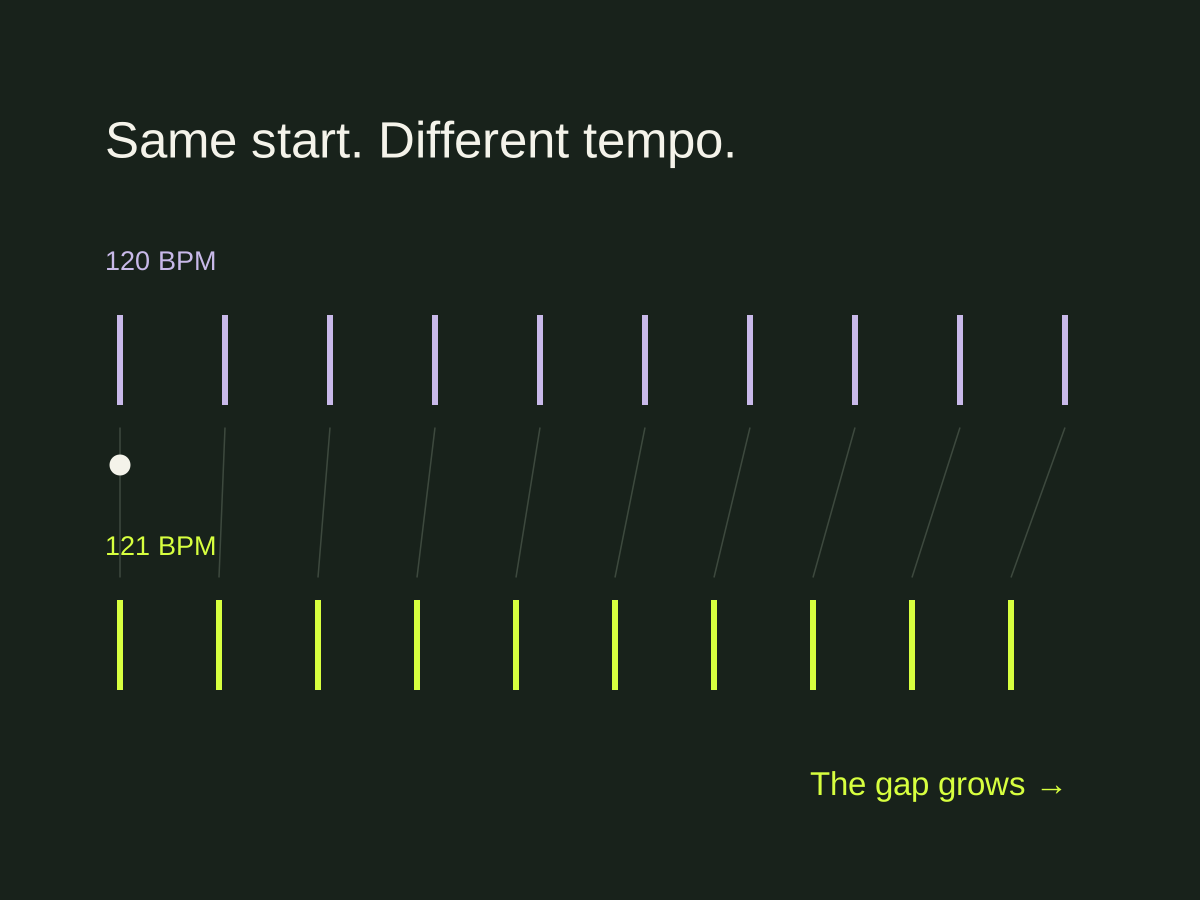
If the first beat lines up but the click gets farther ahead or behind, the tempos may differ. Small differences accumulate. Moving the start point can make one passage sound right while leaving the rest wrong.
A rounded tempo estimate can sound convincing for a few bars and still drift later. This calculation shows how the gap accumulates.
Adjust the tempo, align again and compare the same checkpoints. Change one variable at a time so you can hear which adjustment helped. Write down the BPM and start position that you tested if you are comparing several possibilities.
If it lines up, drifts, then comes back
The recording may not hold one tempo. A live performance can move gradually, and an arrangement can contain deliberate tempo changes. A single fixed BPM cannot follow every beat of such a recording.
Check an early verse, a chorus and a later passage. If each passage needs a different tempo to stay aligned, stop trying to solve the whole song by shifting the first click. You may need a tempo map in a DAW, a different recording or a rehearsal arrangement built around a steady tempo.
Cuebie’s fixed-tempo click does not automatically follow tempo drift. Choose a recording that fits that workflow rather than expecting the click to correct the audio.
A repeatable listening test
- Pick a clear downbeat and align the click to it.
- Listen eight bars later. Note whether the click leads, lags or still matches.
- Check a passage near the end without changing anything.
- If the gap stays similar, revisit alignment. If it grows steadily, revisit BPM. If it varies, investigate tempo changes in the recording.
- After a change, replay all three points. Do not judge the result from the first beat alone.
Only add section cues after the timing works. A cue placed on an incorrect grid can announce the right section at the wrong moment.
On iPhone, use Cuebie’s setup guide for tempo, first-beat alignment and section markers. When the recording stays aligned, plan the spoken cues and count-ins your band actually needs.
Technical reference: Audacity’s Rhythm Track documentation describes tempo and start-time offset as separate controls.
Part of our click tracks guide.